What an exclamation mark next to the Wi-Fi icon on Android means and how to fix it
An exclamation mark appearing next to the wireless network icon on Android devices indicates that the phone is connected to a router but lacks internet access.
 💡Tech
Photo: UNIAN
Key points
- Exclamation mark indicates connection to router without internet access
- Check connection on another device to isolate the problem
- Basic resets or router reboots usually resolve the issue
Smartphone users running the Android operating system occasionally notice auxiliary status icons on their display panels. Specifically, a small exclamation mark displayed beside the Wi-Fi symbol typically signifies that the device has successfully linked to a wireless router, yet actual internet connectivity is unavailable.
How to diagnose and resolve connection issues
To determine where the fault lies, experts recommend connecting another device to the exact same wireless network. If web pages load normally on a secondary phone or computer, the issue is likely localized within the Android device itself. Quick troubleshooting steps include toggling the Wi-Fi switch off and on, engaging airplane mode briefly, or forgetting the network entirely and reconnecting.
Conversely, if internet access fails across all devices connected to the local network, the root cause probably stems from the router or the internet service provider. In such instances, restarting the router or checking hardware indicator lights is advised. Furthermore, when using public Wi-Fi zones, this warning sign frequently indicates that a mandatory web authentication page must be completed before browsing the web.
Source UNIAN — unian.ua/techno/communications/wi-fi-zi-znakom-okliku-na-android-sh… ↗
Read next
Fine for Tear Gas: Court Sentences Man for Attacking Police Officer During Document Check
In Ivano-Frankivsk, a man was fined 17,000 UAH for using a gas canister against a police officer during a conflict involving mobilization measures.
 🏛️Politics
Operation «Carthage»: New Version of Events Around NABU and SAPO Sparks Resonance
Following testimonies by SBU General Serhii Duka, experts suggest that a high-profile anti-corruption operation might have had entirely different motives.
 💼Economy
Parliamentary Temporary Inquiry Commission Uncovers Large-Scale Shadow Schemes in Gambling
The Verkhovna Rada's Temporary Inquiry Commission has reviewed the situation in the gambling market, uncovering multi-billion budget losses due to shadow schemes.
 🏛️Politics
New Leadership at Ministry of Veterans Affairs: 'Azov' Officer and Former Minister Join the Team
The Cabinet of Ministers has appointed Oleksandr Husarov as Deputy Minister and Oleh Nemchinov as State Secretary of the Ministry of Veterans Affairs.
 🇺🇦Ukraine
Kerch Bridge Strikes: Putin Attempts to Downplay Damage
The Russian leadership has reacted to successful Ukrainian strikes on the Kerch Strait Bridge, attempting to minimize the evident damage to military logistics.
 🏙️City
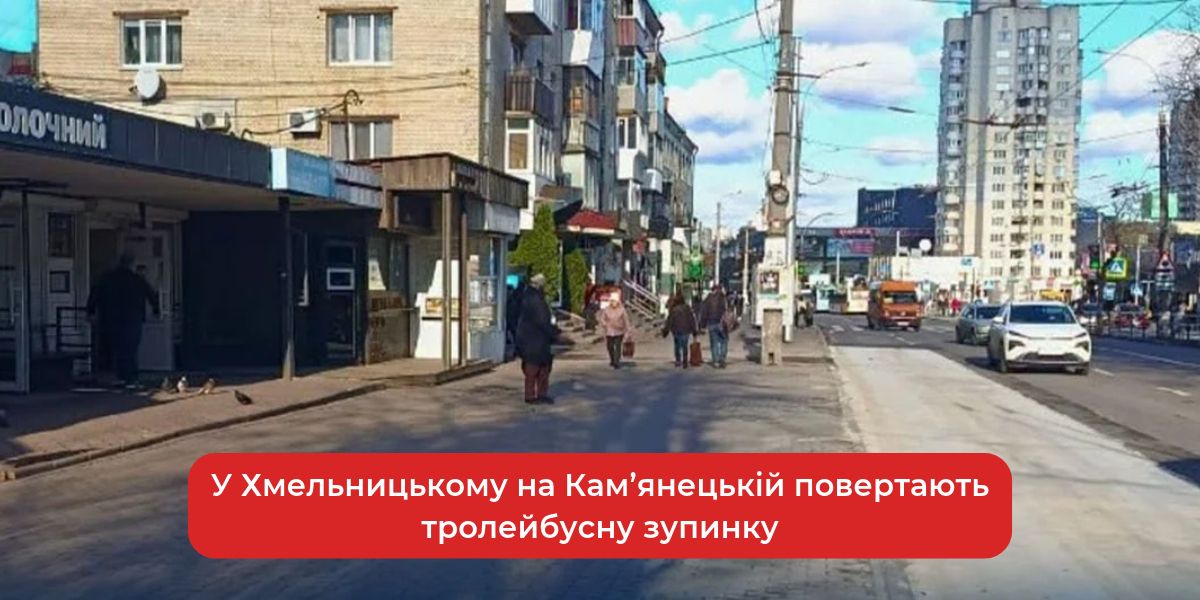
Trolleybus stop on Kamianetska Street in Khmelnytskyi returns to its original location
Starting November 20, trolleybuses in Khmelnytskyi will resume stopping at their usual location on Kamianetska Street following road repairs.