WhatsApp Optimization: How Khmelnytskyi Residents Can Free Up Smartphone Storage
WhatsApp often duplicates media files, consuming valuable device storage, but simple setting adjustments can reclaim gigabytes of space.
 💡Tech
Photo: UNIAN
Key points
- Disabling gallery duplication prevents redundant file storage.
- The 'Manage Storage' tool identifies large files over 5 MB for easy removal.
- Clearing the Android app cache removes hidden digital clutter.
In today's digital landscape, residents of Khmelnytskyi increasingly rely on messengers for everything from personal chats to community coordination in apartment block groups and school chats. WhatsApp remains a primary tool for local communication, yet its default settings often lead to storage issues by automatically duplicating received photos and videos into the phone's general gallery.
Stopping Automatic Media Downloads
The core issue is that the application saves files twice: once within the chat history and again in the smartphone's system gallery. For iPhone users, the solution lies in disabling the "Save to Camera Roll" feature. Once deactivated, media files remain exclusively within the messenger, preventing unnecessary duplicates. Android users have a similar option under chat settings where they can turn off "Media Visibility," stopping new files from appearing in the general photo library.
It is important to note the technical differences between operating systems. On Android, the gallery often creates links to files, meaning deleting a photo from the gallery might also remove it from the chat. On iOS, the system creates full copies, allowing users to clear their photo library without affecting their WhatsApp message history.
Built-in Cleaning Tools
Beyond automatic settings, the messenger features a dedicated storage management tool. Accessible via Settings — Storage and Data — Manage Storage, this menu highlights files that consume the most space, specifically those larger than 5 MB. This allows users to selectively delete heavy video files or clear media from specific conversations that are no longer relevant.
An additional tip for Android users is the regular clearing of the app's cache. This removes temporary data, such as image thumbnails and contact avatars, which accumulate in the background and can occupy hundreds of megabytes. These simple digital hygiene steps ensure smartphone stability without the need to delete essential apps or personal archives.
Source UNIAN — unian.ua/techno/communications/yak-ochistiti-whatsapp-za-1-hvilinu-… ↗
Read next
 🏛️Politics
Operation «Carthage»: New Version of Events Around NABU and SAPO Sparks Resonance
Following testimonies by SBU General Serhii Duka, experts suggest that a high-profile anti-corruption operation might have had entirely different motives.
 💼Economy
Parliamentary Temporary Inquiry Commission Uncovers Large-Scale Shadow Schemes in Gambling
The Verkhovna Rada's Temporary Inquiry Commission has reviewed the situation in the gambling market, uncovering multi-billion budget losses due to shadow schemes.
 🏛️Politics
New Leadership at Ministry of Veterans Affairs: 'Azov' Officer and Former Minister Join the Team
The Cabinet of Ministers has appointed Oleksandr Husarov as Deputy Minister and Oleh Nemchinov as State Secretary of the Ministry of Veterans Affairs.
 🇺🇦Ukraine
Kerch Bridge Strikes: Putin Attempts to Downplay Damage
The Russian leadership has reacted to successful Ukrainian strikes on the Kerch Strait Bridge, attempting to minimize the evident damage to military logistics.
 🏙️City
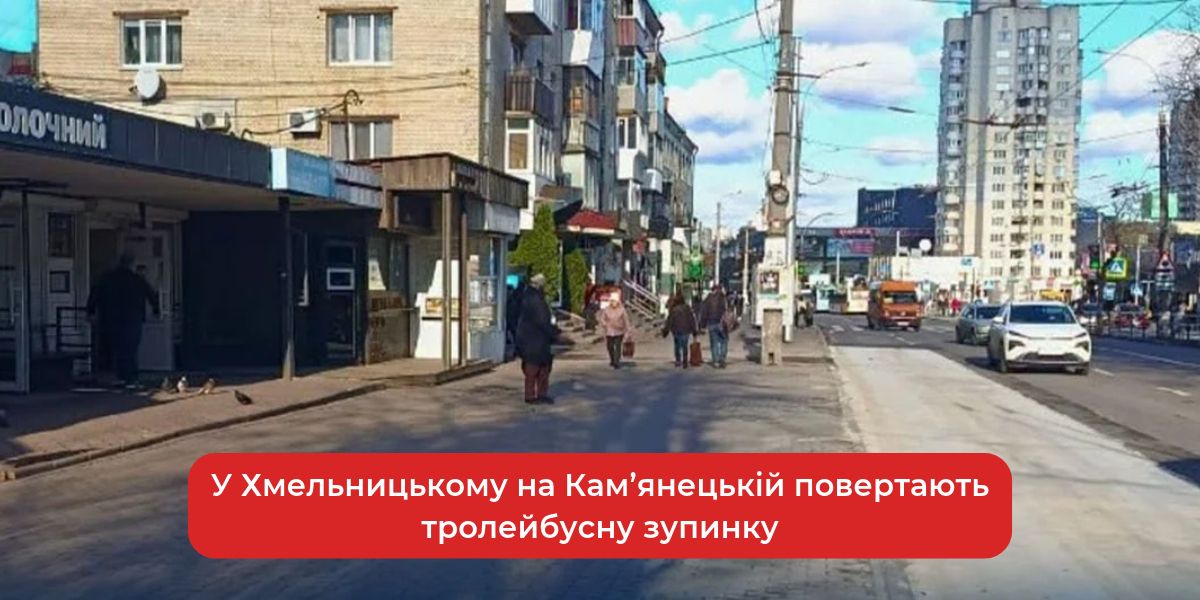
Trolleybus stop on Kamianetska Street in Khmelnytskyi returns to its original location
Starting November 20, trolleybuses in Khmelnytskyi will resume stopping at their usual location on Kamianetska Street following road repairs.
 🏙️City
Trolleybus Stop 'Shopping Center' in Khmelnytskyi Returns to Its Former Location
Starting November 20, the 'Shopping Center' trolleybus stop on Kamianetska Street in Khmelnytskyi will resume operation at its original location following road surface re…